
Multi-product
revenue dashboard
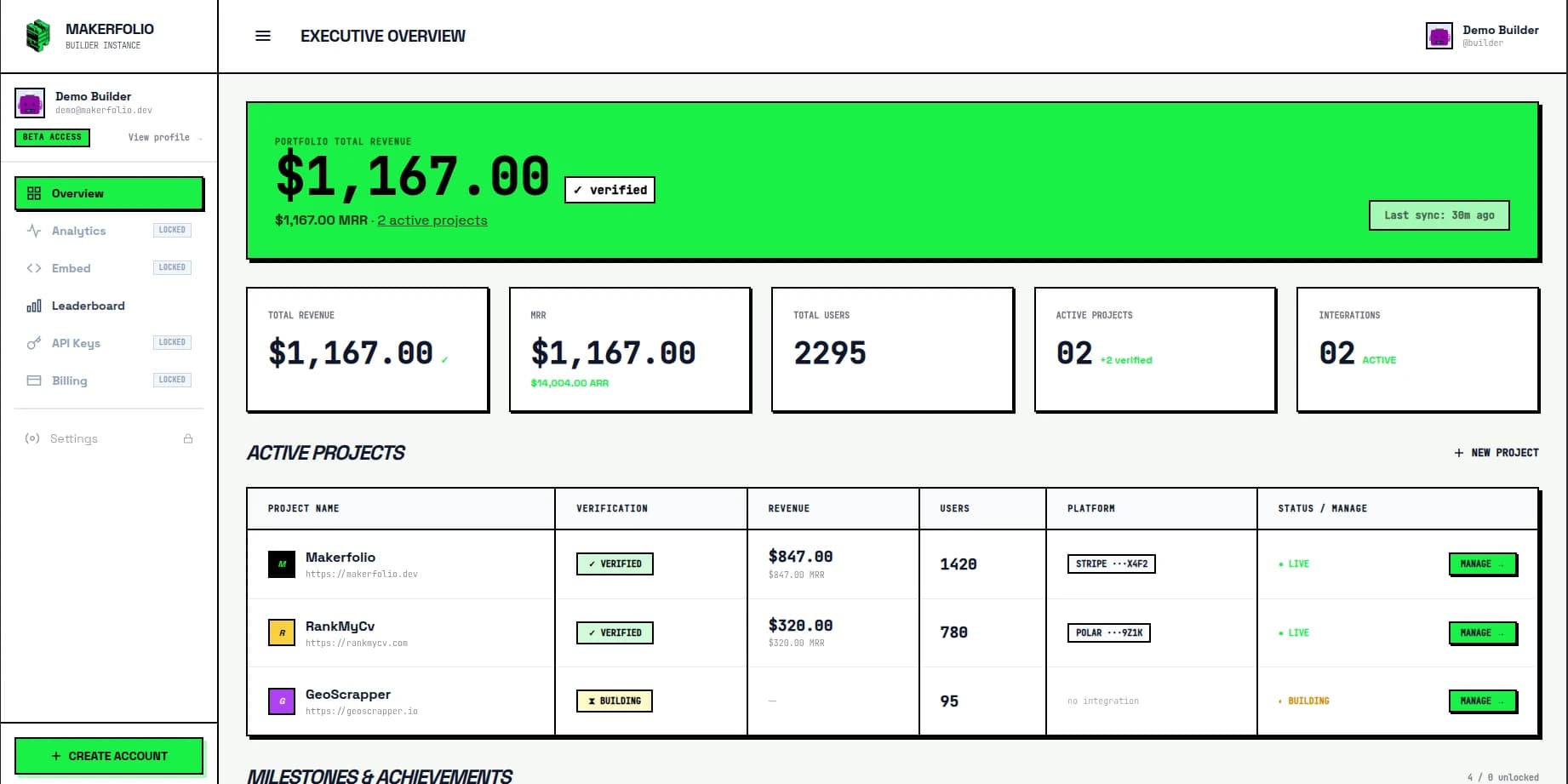
The more products you ship, the less useful a single-processor dashboard becomes. One SaaS in Stripe, one developer product in Polar, one side project with occasional one-time revenue, and suddenly the business exists in fragments. A multi-product revenue dashboard gives you one operating view for the whole stack.
Projects
03 active
Sources
02 synced
What breaks without it
One processor tab per product, plus a spreadsheet to reconcile totals.
Revenue updates on X that only mention one project because the total is too messy to explain.
Annual plans, one-time launches, and subscriptions mixed into one vanity number.
No clean way to show the whole portfolio to customers, partners, or investors.
Why multi-product builders need a different reporting layer
Single-product reporting is easy to romanticize because it fits inside one interface. Multi-product reality is messier. The founder has a main SaaS, a side product, a few experimental launches, and maybe one product that monetizes differently from the rest. The business stops looking like one dashboard and starts looking like a scavenger hunt.
ChartMogul's own guidance is blunt about the importance of tracking and analyzing MRR for business growth. That principle becomes more important, not less, when revenue is spread across products. You cannot manage a portfolio if every product has its own logic, its own billing interval conventions, and its own definition of what counts as recurring.
Stripe's subscription docs are useful here because they remind you that recurring revenue starts from a product access model, not from a screenshot. Polar's docs add the developer-product and merchant-of-record angle. Put both together and you get a very common indie hacker reality: multiple products, different sales motions, and no canonical operating view.
Makerfolio is designed to become that view. It lets you compare projects, aggregate totals across supported sources, and decide whether the output stays private in the dashboard or becomes part of your public identity as a builder.
What the dashboard should include
| Layer | Why it matters |
|---|---|
| Project-level rollups | Compare each product on its own instead of collapsing everything into one top-line number. |
| Cross-product total | See the full business without guessing how much overlap exists between dashboards. |
| Recurring versus one-time | Keep SaaS subscriptions separate from templates, launches, and non-recurring orders. |
| Source attribution | Know whether a product depends on Stripe, Polar, or a mixed payment setup. |
| Public proof output | Share a verified narrative about your whole builder portfolio instead of fragmented screenshots. |
Verified citations
ChartMogul Help Center
“Tracking and analyzing your MRR is central to understanding and growing your business.”Open source ↗
Stripe Docs
“Subscriptions let your customers make recurring payments to access a product.”Open source ↗
Polar Docs
“Complete billing infrastructure out-of-the-box with APIs that let you integrate in minutes.”Open source ↗
Related pages
How to track revenue across multiple products
Read the supporting guide if your reporting stack is already fragmented.
How to build a multi-product revenue dashboard
Support article on the right reporting order for portfolio-level visibility.
Revenue Dashboard for Indie Hackers
See the broader category page for multi-processor revenue visibility.
MRR Tracker for Indie Hackers
Go deeper on recurring revenue quality and billing interval normalization.
Stripe and Polar Revenue Dashboard
Use the processor-specific landing if those are your two core sources.
Leaderboard
See live builder examples with public proof and multiple projects.
Public builder profile
Make the portfolio visible once the private dashboard is coherent.
Sources
See the whole business, not just one product at a time
Create a Makerfolio account, connect your live sources, and get one multi-product revenue dashboard for the portfolio you are actually running.